

SMB — Server Message Block — is one of those protocols that most Windows users have never heard of, but that underpins a huge amount of what happens on corporate networks every day. It’s also one of the most abused protocols in the attacker playbook. From EternalBlue to ransomware lateral movement to credential relay attacks, understanding SMB is essential for anyone serious about Windows security.
What Is SMB?
SMB is a network file sharing protocol that allows computers on the same network to share files, printers, and other resources. When you map a network drive, access a shared folder with \server\share, or use Windows file sharing, you’re using SMB.
It runs over TCP port 445 (and historically over NetBIOS on ports 137-139). It’s built into every version of Windows and is enabled by default in most enterprise environments.
SMB Versions
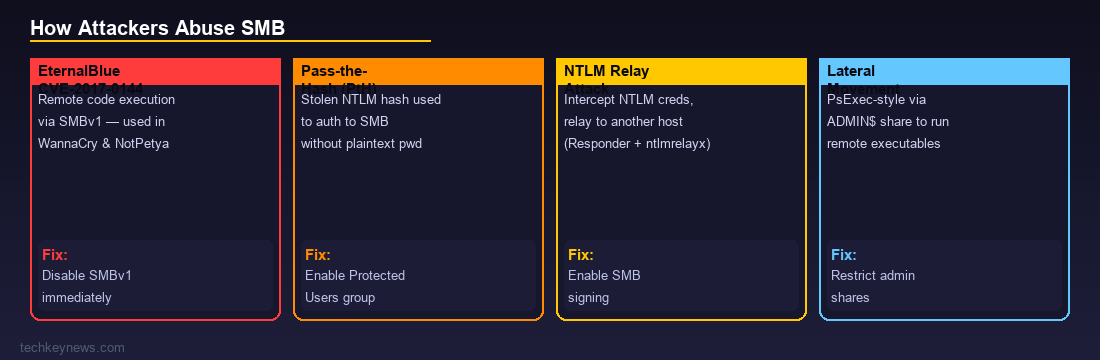
SMB has gone through several major versions, and the version in use matters significantly for security:
- SMBv1 — The original, from the 1980s. Insecure, unencrypted, and the version exploited by EternalBlue. Should be disabled everywhere.
- SMBv2 — Introduced in Windows Vista/Server 2008. Major security and performance improvements. Still widely in use.
- SMBv3 — Introduced in Windows 8/Server 2012. Added end-to-end encryption, pre-authentication integrity (SMB 3.1.1), and other significant security features.
Check what versions are active on a Windows host with:
Get-SmbServerConfiguration | Select EnableSMB1Protocol, EnableSMB2ProtocolHow Attackers Abuse SMB
EternalBlue (CVE-2017-0144)
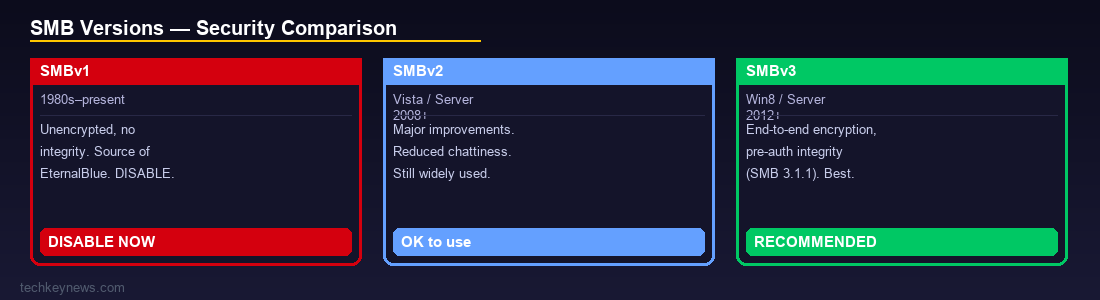
The most famous SMB vulnerability in history. EternalBlue was a leaked NSA exploit that allowed unauthenticated remote code execution via SMBv1. It was used in the WannaCry ransomware attack (May 2017) and NotPetya (June 2017), causing billions of dollars in damage worldwide. If you still have SMBv1 enabled anywhere, disable it now.
Pass-the-Hash (PtH)
SMB authentication can use NTLM, which works with password hashes rather than plaintext passwords. An attacker who steals an NTLM hash (from memory via Mimikatz, for example) can authenticate to SMB shares as that user without ever knowing the actual password. This is called Pass-the-Hash and it’s a cornerstone of lateral movement in Windows environments.
NTLM Relay Attacks
When a Windows machine tries to authenticate to an SMB share, it sends NTLM credentials. An attacker positioned on the network can intercept these credentials and relay them to another machine — authenticating as the victim user without cracking the hash. Tools like Responder and ntlmrelayx automate this attack.
Common triggers:
- LLMNR/NBT-NS poisoning — responding to name resolution broadcasts to trick victims into authenticating to an attacker-controlled machine
- Malicious links that trigger automatic SMB authentication (e.g. a link to
\attacker-ip\sharein a document)
Lateral Movement via SMB
Once an attacker has valid credentials (or hashes), SMB is their primary tool for moving between machines. Common techniques:
- PsExec-style execution — Using the ADMIN$ or C$ administrative share to copy an executable and run it remotely via the Service Control Manager
- WMI over SMB — Remote WMI calls use SMB for authentication and file staging
- Remote scheduled tasks — Scheduled tasks can be created remotely over SMB
Ransomware File Encryption
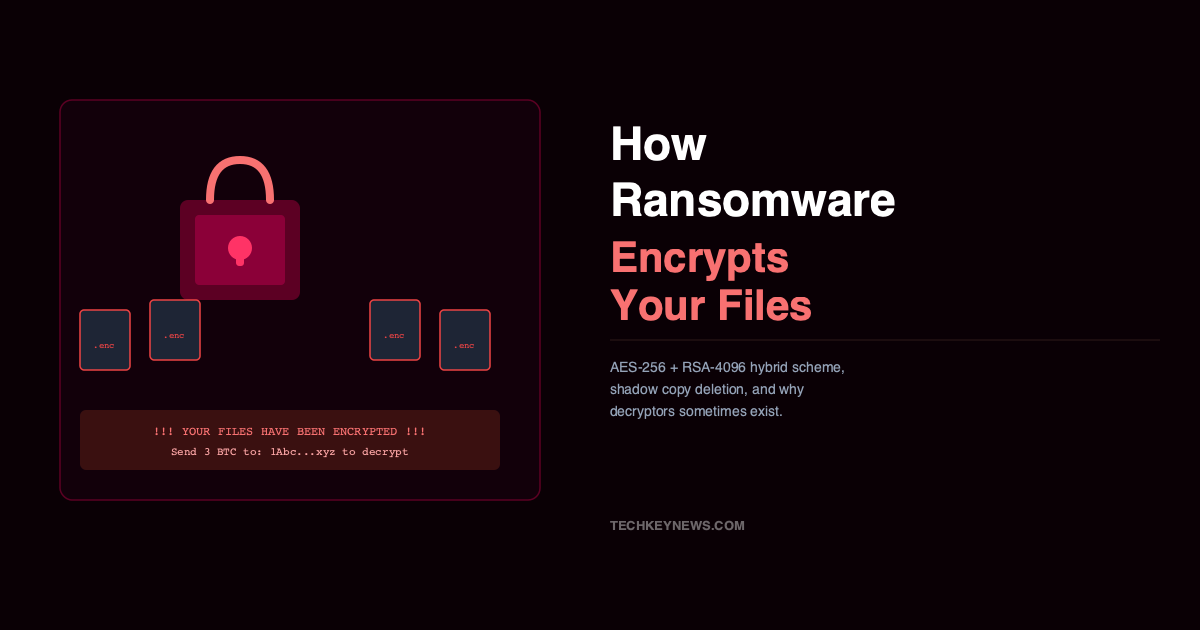
Ransomware often uses SMB to spread encryption across network shares. Once one machine is compromised, the ransomware enumerates accessible SMB shares and encrypts files on them. This is why proper share permissions and network segmentation are critical — ransomware on one workstation shouldn’t be able to reach your file server.
Defensive Measures
Disable SMBv1
Set-SmbServerConfiguration -EnableSMB1Protocol $false -ForceThere is almost no legitimate reason to have SMBv1 enabled in a modern environment.
Enable SMB Signing
SMB signing prevents relay attacks by requiring each message to be cryptographically signed. Without it, NTLM relay is trivially easy.
Set-SmbServerConfiguration -RequireSecuritySignature $true -ForceNote: this can impact performance in high-throughput file server environments, but the security benefit is significant.
Disable LLMNR and NBT-NS
These legacy name resolution protocols are the primary enabler of NTLM relay via Responder. Disable them via Group Policy if you’re not actively using them.
Restrict Administrative Shares
The default administrative shares (C$, ADMIN$, IPC$) are useful for attackers. Consider whether all machines need them, and use host-based firewall rules to limit which machines can reach SMB (port 445) on which other machines.
Monitor SMB Traffic
Key things to watch for in logs:
- SMB connections to ADMIN$ or C$ shares from non-admin workstations
- New service creation events (Event ID 7045) shortly after SMB connections
- High-volume file access from a single source in a short time (potential ransomware)
- SMB traffic between workstations (most legitimate SMB is workstation-to-server, not workstation-to-workstation)
Quick Reference: Key SMB Event IDs
- 5140 — A network share was accessed
- 5145 — A network share object was checked for access (detailed)
- 5142 — A network share was added
- 4624 Logon Type 3 — Network logon (often SMB authentication)
Wrapping Up
SMB is a foundational Windows protocol that isn’t going away — but it needs to be properly configured and monitored. The combination of disabling SMBv1, enabling signing, disabling LLMNR/NBT-NS, and monitoring for anomalous share access significantly reduces your exposure to the most common SMB-based attacks. Given how heavily attackers rely on SMB for both initial compromise and lateral movement, getting these basics right is time very well spent.

Leave a Reply