

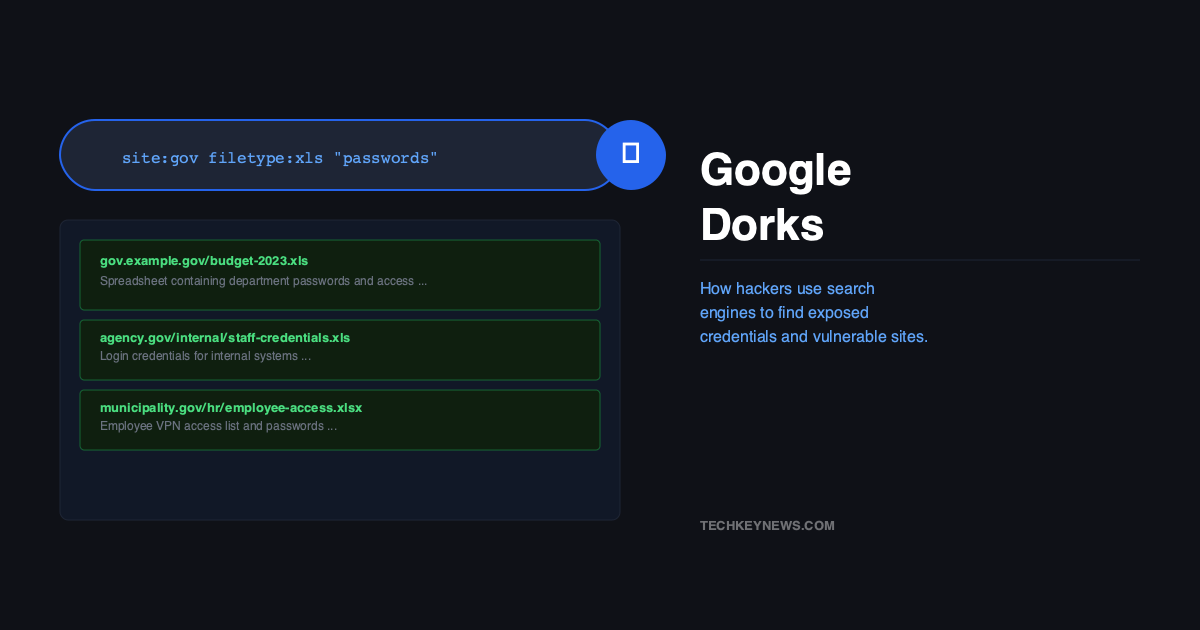
Before an attacker touches a single exploit, runs a port scan, or launches a phishing email, there’s a good chance they’ve already spent twenty minutes on Google finding everything they need to know about you. No special tools. No dark web access. Just search operators that most people have never heard of.
This technique is called Google Dorking — and it’s been around since 2002. Despite being two decades old, it’s still one of the first things a penetration tester or attacker does during reconnaissance. The reason it’s still effective is simple: organisations keep accidentally publishing sensitive things on the internet, and Google keeps indexing them.
Where It Came From
Security researcher Johnny Long first documented Google Hacking in 2002 and later built the Google Hacking Database (GHDB) — a public library of pre-built dork queries that surface exposed information online. The GHDB is still maintained today on Exploit-DB and contains thousands of categorised queries. Attackers use it. Pentesters use it. And your organisation’s exposed files are probably in it somewhere.
“58% of ethical hackers use Google Dorking as their first reconnaissance step.”
— Security researcher survey, 2025
The Operators That Matter
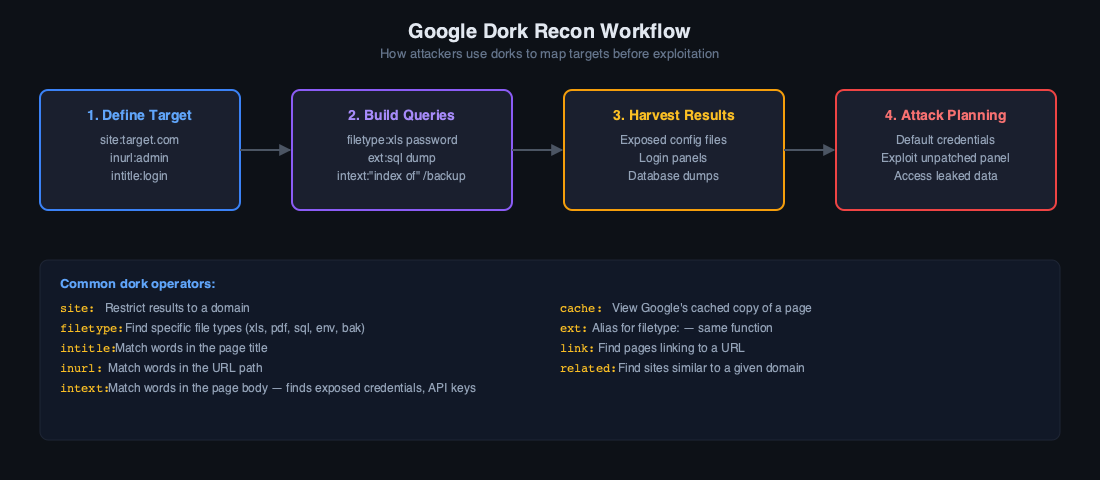
Google Dorks use a handful of search operators combined with specific terms. On their own, each operator is harmless — it’s how you chain them that makes them powerful. Here are the ones attackers actually use:
| Operator | What It Does | Attack Use |
|---|---|---|
site: |
Restrict results to a domain | Map a target’s entire web footprint |
filetype: |
Search by file extension | Find .sql, .env, .bak, .log files |
inurl: |
Search within URLs | Find login pages, admin panels |
intitle: |
Search within page titles | Find directory listings, error pages |
intext: |
Search within page body | Find credential strings in pages |
cache: |
View Google’s cached version | Access pages that were removed |
Real Dork Examples Attackers Actually Use
These aren’t theoretical. Every one of these is sitting in the GHDB and gets used in real attacks:
# Find exposed database backup files
filetype:sql "INSERT INTO" site:target.com

# Find open directory listings
intitle:"index of /" "parent directory"

# Find .env files (contain API keys, DB passwords)
filetype:env "DB_PASSWORD"

# Find exposed admin panels
inurl:admin intitle:"login"

# Find config files with credentials
filetype:xml intext:"password" intext:"username"

# Find error logs
filetype:log intext:"error" intext:"password"

# Find exposed phpMyAdmin installations
inurl:phpmyadmin intitle:phpMyAdmin

# Find network cameras with no auth
intitle:"Live View / - AXIS" OR inurl:view/view.shtml

# Find government credential leaks
site:.gov filetype:log intext:password

# Find WordPress config files
filetype:txt inurl:wp-config
That last one — the WordPress config dork — finds wp-config.php backups that developers sometimes create as wp-config.txt for editing, then forget to delete. Those files contain your database hostname, username, and password in plain text.
Documented Cases Where This Actually Happened
The SQL Backup Exposure
A security researcher ran filetype:sql site:example-logistics.com and found a complete SQL database backup sitting on a public web server — uploaded by a developer for a migration and never cleaned up. It contained customer names, email addresses, and hashed passwords for every user in their system. The company had no idea.
Ransomware Groups Use It Too
This isn’t just a script kiddie technique. In 2025, exploited vulnerabilities were the root cause of 32% of ransomware attacks. Dorking is how ransomware affiliates identify those vulnerabilities before a patch is applied. They run automated dork queries against specific CVE patterns — things like inurl:"/cgi-bin/login.cgi" intext:"version 2.3" — and build a hit list of targets running vulnerable software versions.
The Security Camera Problem
Queries like intitle:"Live View / - AXIS" surface network cameras that are accessible directly from the internet with no authentication. People have been finding and reporting these for fifteen years. New ones appear every week because someone plugged in a camera, forwarded port 80, and never set a password.
Automation: When Dorks Get Industrialised
Running dorks manually in a browser is slow. Attackers don’t do it that way at scale. Tools like theHarvester, Pagodo, and custom scripts can cycle through hundreds of GHDB queries automatically, catalogue every result, and flag targets for follow-up. By the time a human reviews the output, the reconnaissance is already done.
Google has rate limiting and CAPTCHA that makes aggressive automation harder, but it doesn’t stop it — it just slows it down. Attackers use residential proxies and throttle their requests to stay under the radar.
How to Find Out What You’ve Exposed
The best way to protect yourself is to dork yourself first. Run these against your own domain monthly:
site:yourdomain.com filetype:sql OR filetype:bak OR filetype:env OR filetype:logsite:yourdomain.com intitle:"index of"site:yourdomain.com inurl:admin OR inurl:login OR inurl:wp-adminsite:yourdomain.com intext:"password" OR intext:"api_key"
If anything comes back that shouldn’t be public — delete the file, remove it from your server, and request removal from Google’s index via Search Console. Finding it yourself first means an attacker didn’t find it first.
Protecting Your Site from Being Dorked
- Audit your web root regularly — backup files, config files, and log files have no business being in a publicly accessible directory.
- Use robots.txt carefully — it won’t stop a determined attacker (robots.txt is public and tells them exactly what you’re hiding), but it will stop Google indexing sensitive paths.
- Set proper directory permissions — disable directory listing on your web server. A file in
/uploads/that isn’t linked from anywhere shouldn’t be discoverable. - Monitor your own exposure — set up a Google Alert for
site:yourdomain.com filetype:sqlor run periodic dork audits as part of your security programme. - Never store credentials in web-accessible files — use environment variables, secrets managers, or server-side config that lives outside the document root.
A Note on Legality
Using Google Dorks is not illegal. You’re using a search engine. What matters is what you do with what you find. Accessing a system or file you’re not authorised to access — even if Google handed you the URL — is a criminal offence in most jurisdictions. Run dorks against your own infrastructure or only in the context of an authorised penetration test.
Final Thought
The uncomfortable truth about Google Dorking is that most of what it finds isn’t the result of sophisticated attacks — it’s the result of human carelessness. A backup file left in the wrong folder. A directory with open permissions. A config file with a .txt extension instead of being kept off the server entirely. The attack surface Google Dorks expose is almost entirely self-inflicted.
Run the dorks above against your own site today. If you find something, fix it before someone else does.

Leave a Reply